Send this to your boss / client
A one-page explanation of why opening CSVs in Excel can break reporting and reconciliation.
The problem
Excel applies “helpful” auto-formatting when opening CSVs. It silently changes values: strips leading zeros, converts long IDs to scientific notation (losing digits), and guesses dates based on locale. It can also interpret untrusted cells as formulas (CSV injection).
Why it matters
- Reconciliations drift: IDs don’t match across systems once Excel mutates them.
- Audit risk: outputs can’t be reproduced reliably across machines/teams.
- Security: CSV/formula injection can turn “data” into executable spreadsheet formulas.
Proof (before / after)
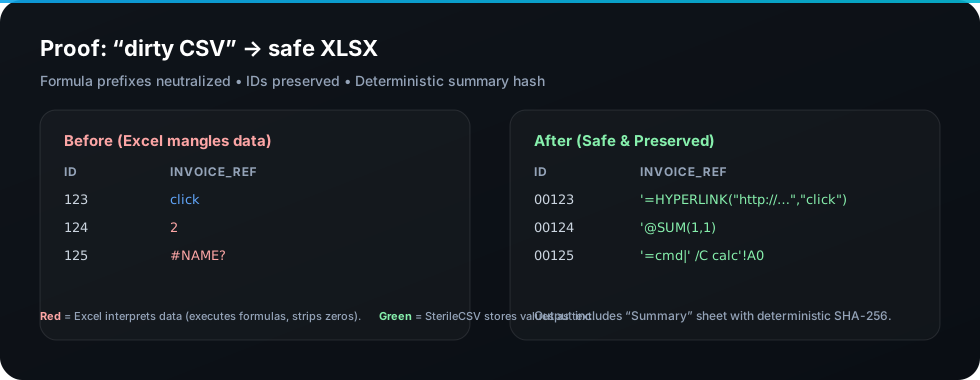
What SterileCSV does:
- Standardizes CSV → XLSX conversion with deterministic rules.
- Neutralizes formula prefixes (
=,+,-,@). - Preserves IDs as text (leading zeros kept).
- Runs offline (no uploads, no telemetry).
Want a 10-second proof?
Download the test CSV, open it in Excel, then run the same file through SterileCSV: